Server-side Ad Insertion (SSAI)
Pop-up Channels supports inserting ad slates and SCTE markers into the stream for use with SSAI.
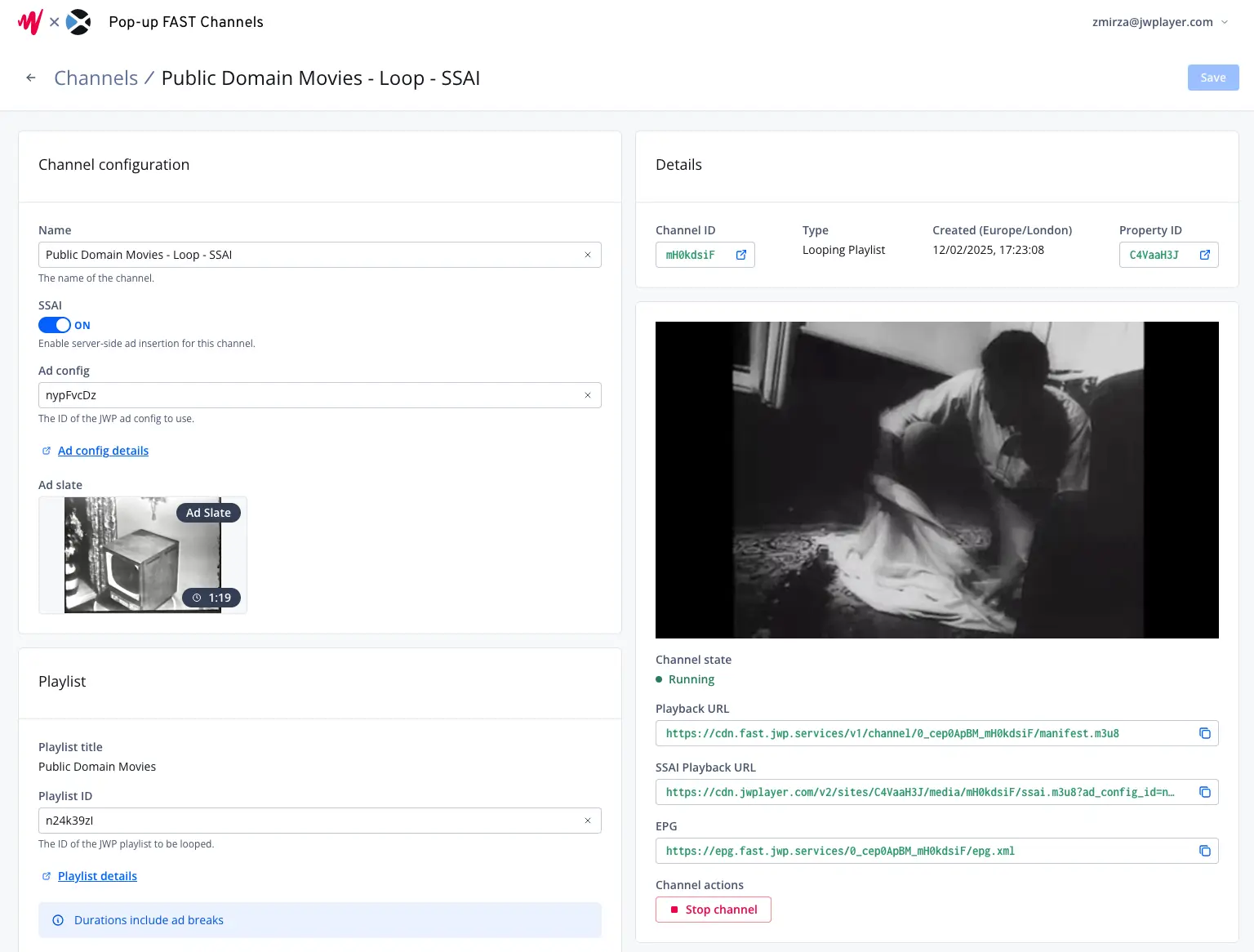
If you enable SSAI for a channel, ad breaks will be inserted based on the JWP ad config you provide, as well as your media-level ad cues.
These ad breaks can then be used for ad insertion with JWP SSAI.
Setting up SSAI for a channel
Please note, to use SSAI with Pop-up Channels your JWP account must have the following entitlements:
- App Config
- Per Media Ads
- Server Side Ads
Please speak with your JWP Connatix representative if you are unsure whether you have these entitlements, or to discuss enabling them.
While creating or updating a channel:
- Under "SSAI", click the toggle to "on"
- Under "Ad Config", enter the ID of your JWP ad config
- Under "Ad Slate", enter the media ID of a JWP VOD to use as a slate. Please note:
- The length of this slate will determine the length of your ad breaks.
- The ad slate must be in the same property as your channel.
Once the channel has been created or saved, you can then grab the SSAI playback URL on the right side of your screen to use on your website or apps.